

Download Syncplicity – Secure Free Cloud Backup & Sync Tool
Overview – Why Syncplicity Is Still Worth a Look in 2025
In a world where data breaches make daily headlines, having a reliable backup solution is no longer a luxury—it’s a necessity. Syncplicity answers that call with a straightforward, free‑tier cloud storage service that gives you a 2 GB virtual drive to keep your most important files safe. What sets Syncplicity apart from the crowded field of cloud sync tools is its real‑time synchronization engine.
As soon as you edit, move, or delete a file on your local machine, the change is mirrored instantly on the remote virtual drive, ensuring you always have a current copy at hand. The service caps individual file size at 300 MB, which is perfect for documents, spreadsheets, PDFs, and moderate‑resolution photos. While the free plan is modest compared to the multi‑terabyte offerings of bigger competitors, it delivers a no‑cost, no‑strings‑attached entry point for users who simply need a secure backup layer for critical work files.
The initial setup wizard walks you through folder selection, login, and optional integrations with Facebook, Scribd, and Google Docs, making the first‑time experience feel almost plug‑and‑play. Though the interface may feel a little dated and the web‑based file manager is missing, the core promise—continuous, secure backup—remains solid. Whether you’re a freelance designer juggling client assets, a small business owner protecting invoices, or a student safeguarding research papers, Syncplicity provides a hassle‑free safety net that runs quietly in the background while you focus on what matters most.
Key Features That Make Syncplicity a Practical Choice
- Real‑time Sync Engine: Changes are propagated to the cloud the moment they occur, minimizing data‑loss windows.
- 2 GB Free Virtual Drive: Sufficient for essential documents, project files, and medium‑size media without any subscription.
- Cross‑Platform Support: Native clients for Windows, macOS, Android, and iOS keep your files aligned across devices.
- Selective Folder Sync: Choose which local folders to sync, preserving bandwidth and storage on low‑end machines.
- Third‑Party Integrations: Direct connections to Facebook, Scribd, and Google Docs let you store and share content from within familiar platforms.
- End‑to‑End Encryption (TLS/SSL): All data in transit is encrypted, and files are stored with industry‑standard security measures.
- Version History (Limited): The free tier retains a short history of file revisions, allowing you to roll back accidental overwrites.
- Background Sync Service: Once configured, the app runs silently, syncing files while you work on other tasks.
These features collectively address the most common concerns for everyday users: security, convenience, and cost. The selective folder sync is especially valuable for those on limited bandwidth connections, because you can prioritize critical folders while leaving large media libraries unsynced. Though the version history is not as extensive as premium solutions, it still provides a safety net for the occasional mishap. The integration options, while not exhaustive, add a layer of flexibility that can streamline workflows—for instance, saving a Google Doc directly to your Syncplicity drive eliminates the need for manual downloads. Overall, the feature set aligns well with the promise of a “simple, secure backup” that does not require a steep learning curve or a hefty price tag.
Installation, Usage Guide & Compatibility
Step‑by‑Step Installation
Getting Syncplicity up and running is designed to take less than five minutes. First, visit the official Syncplicity download page and select the installer for your operating system. The Windows installer comes as an .exe file, macOS as a .dmg package, while Android and iOS users can pull the app directly from Google Play or the App Store.
After launching the installer, a brief welcome screen appears, followed by the Setup Wizard. The wizard asks you to create a free account (or log in with an existing one), choose the local folders you wish to back up, and confirm the 2 GB virtual drive allocation. You can also enable optional integrations during this stage; simply toggle the switches for Facebook, Scribd, or Google Docs if you plan to use them.
Using Syncplicity After Installation
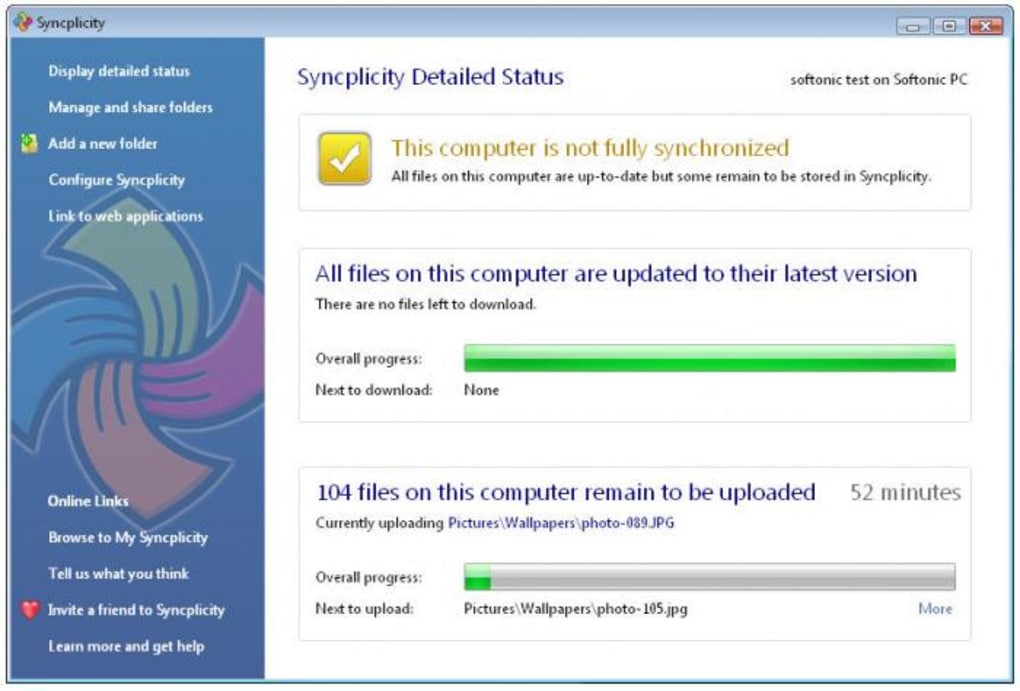
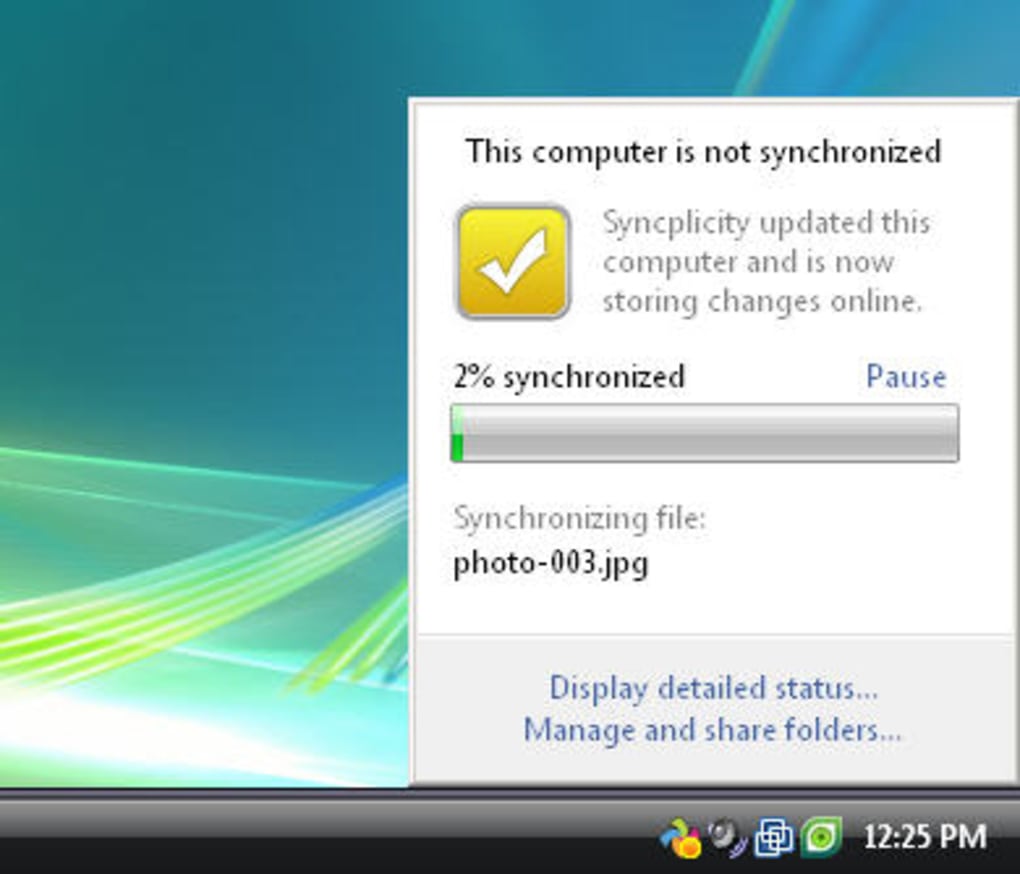
Once the initial configuration is complete, Syncplicity places a small icon in your system tray (Windows) or menu bar (macOS). Clicking the icon opens a status window where you can see sync progress, recent activity, and any errors that need attention. The app automatically monitors the selected folders; any file you add, edit, or delete is queued for upload. Because the free tier limits individual file size to 300 MB, larger media files should be stored elsewhere or split into smaller parts. On mobile devices, the app offers a “Sync on Wi‑Fi only” option to conserve cellular data, and a “Battery Saver” mode that pauses background syncing when your battery drops below a chosen threshold.
Compatibility Across Devices
Syncplicity supports the major desktop and mobile platforms: Windows 10/11, macOS 10.13 and later, Android 6.0+, and iOS 12+. The desktop clients integrate directly with the file explorer, allowing you to drag‑and‑drop files into a virtual “Syncplicity Drive” that appears like any other mounted volume. Mobile versions provide a clean, list‑based UI for quick file access, sharing, and offline viewing. While the web interface works in all modern browsers, the lack of an embedded file manager means you’ll need to open the Syncplicity website to browse your cloud files from a computer that doesn’t have the desktop client installed. Overall, the cross‑platform reach ensures you can keep your data synchronized whether you’re at a desk, on a tablet, or traveling with a smartphone.
Pros & Cons – The Balanced Verdict
Pros
- Completely free 2 GB tier with no hidden fees.
- Real‑time synchronization eliminates manual backup steps.
- Simple, wizard‑driven setup suitable for non‑technical users.
- Cross‑platform clients keep files consistent on Windows, macOS, Android, and iOS.
- Secure TLS/SSL encryption protects data during transfer.
- Selective folder sync conserves bandwidth and local storage.
- Optional integrations with popular services add workflow flexibility.
Cons
- No built‑in web file manager; you must use a browser to view files online.
- Sync speed can be sluggish on large batches (e.g., 100 photos took over an hour in tests).
- File size limit of 300 MB per item may restrict high‑resolution media backups.
- Version history is limited compared to premium cloud storage solutions.
- Free tier storage is modest; heavy users quickly outgrow 2 GB.
Frequently Asked Questions
Is Syncplicity still maintained and secure in 2025?
Yes. Syncplicity receives regular security patches and updates. All data transfers use TLS/SSL encryption, and the backend storage complies with industry‑standard security certifications.
Can I increase the free storage beyond 2 GB?
The free tier is limited to 2 GB. To obtain more space you need to upgrade to a paid plan, which offers options ranging from 100 GB to several terabytes.
How does Syncplicity handle file versioning?
The free version retains a short history of recent changes (typically the last 3 versions). Paid plans provide longer version retention and the ability to restore earlier revisions.
Will Syncplicity use a lot of bandwidth on my home network?
Syncplicity syncs files as they change, so bandwidth usage is spread over time. You can limit syncing to Wi‑Fi only or set a bandwidth cap in the preferences to avoid saturating your connection.
Is there a way to access my files offline?
On desktop clients, synced folders are stored locally, so they are always available offline. Mobile apps let you mark individual files for offline access, which are then downloaded to the device.
Conclusion – Should You Download Syncplicity Today?
Syncplicity delivers on its promise of a simple, secure, and free backup solution that works across the major operating systems. If your primary need is to protect essential documents, spreadsheets, and moderate‑size media without paying a subscription, the 2 GB virtual drive offers a solid safety net. The real‑time sync engine, selective folder options, and seamless cross‑platform experience make it a compelling choice for freelancers, small teams, and students alike. However, power users who require extensive version history, large file handling, or an integrated web file manager may find the free tier restrictive and might need to consider a paid upgrade or an alternative service.
In short, for anyone worried about data security and looking for a hassle‑free way to keep a backup copy of their most valuable files, Syncplicity remains a trustworthy option. Download Syncplicity now to start protecting your data instantly, and enjoy the peace of mind that comes with real‑time cloud backup.
Overall Rating: 4 out of 5 stars







